Happy New Year!

11178388835_b7d56ea6c9_nHappy New Year! Hard to believe we’re one year away from The Future, as depicted in the Back to the Future movies, isn’t it?  It’s even harder to believe sometimes that most current law students weren’t alive when the first movie came out…

As always, we here at CALI(R)  are very excited about the future and some of the things we have in store for you in 2014.

For Law Students:

Especially if you are a 1L, law school grades can be a bit of a shock.  But remember, if you are disappointed by your grades, it doesn’t mean that you are stupid or even that you didn’t understand the material.  It just means that you are surrounded by other high achieving people and have been graded on a curve.

However, it can’t hurt to brush up on your study skills and test taking techniques.  (Especially now you have a clean slate and new courses!)  We have a free book available called “Law School Materials for Success” by Dean Barbara Glesner Fines of UMKC Law School.  It covers these topics and more.  Plus, she has recorded podcasts to go along with ever chapter.

I also encourage you to try CALI Lessons as a study aid.  CALI Lessons are interactive tutorials that can show you what subjects you haven’t quite grokked yet. We have them listed by subject, in topic breakdowns and by casebook.  You can also search for them in the CALI(R) website search box.  And remember: unless your faculty member has set up a LessonLink, no one but you can see your scores or how often you’ve taken a lesson but you.

Finally, we don’t have just “casebooks” on our eLangdell(R) Press site.  We also publish Federal Rules Supplements in conjunction with the Legal Information Institute.  Before shelling out money for a print version, you may want to check ours out for free.

For Faculty:

We have a wide range of tools for you to use or recommend to your students.

Assuming you didn’t skip the above section for students, you saw the mention of Dean Fines’ “Materials for Law School Success” as well as information about CALI Lessons.  Both of these are ideal to recommend to students who are less than thrilled with their performance in the previous semester.  They are also great to recommend to your current students so they don’t have that experience in this semester.  The “Faculty View” feature on each lesson’s page will allow you to view an entire lesson on one webpage (instead of flipping dozens of lesson pages) and even print it out for offline review.

It’s never too late to use CALI Lessons for formative assessment in your classes.  Our LessonLink feature allows you to view your student performance on CALI Lessons, down to each student’s answer on every question.  Full instructions appear on the link above, but it’s really as easy as pressing a button to set it up.

Finally, we will be holding our annual Conference for Law School Computing(R) June 19-21 at Harvard Law School.  Don’t let the title fool you – we have presentations on all aspects of legal education and you do not have to be a programmer or technologist to understand what is being discussed.  A call for presentations and registration information will be available shortly.  If you’re not able to make the trip to Cambridge, we will also have educational opportunities for our members throughout the semester.  Stay tuned for those!

Image credit: http://www.flickr.com/photos/danmoyle/ CC-BY

Share
Posted in CALI Announcements | Comments Off on Happy New Year!

Open Education 2013 Review

Publication1In early November, two of CALI’s staff members – Elmer Masters and me (Sarah Glassmeyer)  – traveled to Park City, Utah to attend the Open Educations Conference.  We presented on our eLangdell Press open casebook publishing project and were also featured in a showcase of open textbooks. (More about that later!)  Open Education attracts educators from all levels of education and all over the world.  It was a fabulous opportunity to share what we’ve learned in creating open educational resources as well as learn from others.

Before sharing some of the neat tools and projects that we saw, I thought I’d first give a brief introduction to Open Education and Open Educational Resources (OER).  If you’re reading this, you’re probably familiar with the terms Open Access, Open Source or even Open Law.  As you might expect, Open Education and OER are open tools and content used in education.

OER goes beyond textbooks and MOOCs. It’s software, it’s syllabi, it’s credentialing and more. It’s for formal and informal education and all levels, even post-graduate professional continuing education.  And unlike Scholarly Publishing or Open Law, much of the power to make education and OER open resides with the educators AND much of it doesn’t require any extra work on the part of educators. As with any of the Opens, the first thing that people latch onto is the cost.  Yes, OER will be free, and in a time where law students are paying upwards of $200 per casebook, this is no small consideration.  However, the real strength and benefit to OER, Open Source and the other opens is that it’s accessible and able to be remixed and improved upon by any and all who wish without copyright or format restrictions inhibiting the changes.

Open Education mainly just requires a commitment to sharing with other educators your creations that you are already making anyway.  Okay, so that’s a bit of a simplification, especially in some areas of formal education where there are state requirements for textbooks and curriculum.  However, in higher ed, informal education and professional education – the areas where you likely reside, Gentle Reader – there is a great opportunity for innovation and taking back control of our classrooms and pedagogy.  Fortunately, advances in technology make this easier than ever.

The one tool I heard mentioned over and over again was GitHub.  If you’re not familiar, GitHub is mainly a repository for code, but it can be – and is! – so much more.  Elmer and I used it as the platform for our eLangdell Presentation.  It can also be used to share documents, make books and host pretty much anything text-based that you’d like to share.  Think of it as a wiki x dropbox.    People can fork what you post, which means that they can make a copy and work on it on their own, make changes and it doesn’t affect what you have on your repository.  However, they can submit a request to add it to yours.  So you have the benefit of maintaining the integrity of your work with the opportunity to allow others to improve/change it AND you can use their changes in your work if you think it’s a good change.

Now, Git Hub can be a little intimidating and strange if you don’t have a reason to visit.  So I’m going to give you one.  Instead of ending this post with a list of links of the cool things that I saw at Open Education, I created a Git Hub repository on Open Legal Education.  (I’ve been meaning to do that anyway to collect all the code and tools I’ve been seeing in the wild.)    To see the list of tools from Open Ed, click on the file titled “OpenEducation2013.asciidoc”   It will open up and behave pretty much  just like a webpage.

Finally, I mentioned above that CALI was highlighted in a showcase of Open Textbooks.  Throughout that presentation, the total cost saved to students through the dozen or so programs mentioned was about $100,000,000.  Yes, you read that right, one hundred million dollars.    The organizer of the conference, David Wiley, challenged us to save students one BILLION dollars in the next five years.  I think it’s doable.

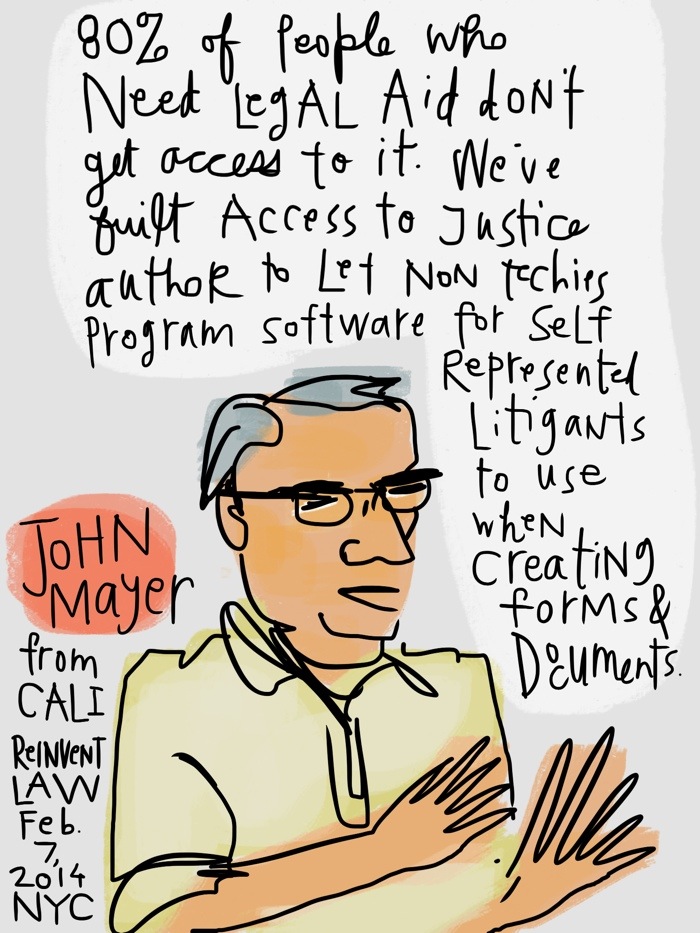
CALI, though eLangdell, has saved law students and the legal profession about 1.4 million dollars.    Our executive director, John Mayer, estimates that if law schools really wanted to, we could save our students 150 Million dollars.   So…who wants to join in and make this a reality?

Image: Open Education Logo  CC-BY 3.0 http://openedconference.org/2013/

Share
Posted in CALI Spotlight | Comments Off on Open Education 2013 Review

Get Ready for Finals

NedEven though it’s only the end of October, it’s not too early to start planning for final exam time.  Here at CALI, our usage statistics go through the roof starting around Thanksgiving every year.  Accompanying this are lots of questions from students with registration issues, questions about authorization code contacts and lost passwords. I’m sure you get your fair share of panicked messages as well.  Now, none of us can do much to help the student that decides to register and take every CALI lesson 8 hours before their final exam, but with your help, we can make the transition into “Serious Finals Study Time” easier for everyone.

Early November is a great time to send out reminders to students via email or social media about CALI lessons and how they are a FREE study resource that your institution provides for them.  If you’re not feeling very creative, we have sample text available for these messages on our Marketing Blog: http://cca.li/ra  Another idea is to have authorization code cards available at service point desks in your library, tech offices and for faculty to hand out.  You should have received enough for every student back in August, but if you need more, templates to print your own can be found here: http://cca.li/rb  Please don’t post the authorization code on public websites, but you are more than welcome to post on password protected intranets and in emails.

By now your school has hopefully received a tube of CALI posters for you to display in and around your building.  There are several styles to choose from, some aimed at students and some at faculty.  If you have not received your posters, please let me know and I can send out replacements.  If you would like digital versions (including sizes optimized for vertical digital displays), downloads to those can be found here: http://cca.li/r9

Share
Posted in CALI Spotlight | Comments Off on Get Ready for Finals

Special Tools on Classcaster


Classcaster_Logo_Color

This week we’ve been spotlighting CALI’s Classcaster in our weekly webinar series.  If you’re not familiar with Classcaster, at its heart is a blogging tool powered by WordPress.  But, as we’re showing in the webinars, it can be used for so many  more things, such as:

  • Personal website, CV and professional repository
  • Library guide
  • Podcast host
  • Alternative to TWEN, Blackboard or other CMS
  • Casebook or Casebook supplement

And so much more!  Really, the only limit on how you would use Classcaster is your imagination.  It’s a great tool for when you need to put something up on the web and don’t want to (or can’t) spend any money on outside web hosting or creation.

(If you missed the earlier webinar, don’t worry!  We’ll have a live encore presentation Friday, November 1 at 3pm EDT)

The webinars show all the great options for customizing a Classcaster site, but in case you weren’t able to attend or take the time to watch, I wanted to take a moment to highlight two of the really cool tools available to Classcaster users.

As I mentioned, Classcaster can be used as a podcast host.  Don’t have a microphone or audio editing software?  No problem!  My colleague Elmer Masters has developed a really cool tool that makes podcasting as easy as making a phone call. phonepost

Classcaster Phone Blog is a wordpress plugin that can be installed with the click of a checkbox. After setting up an account (see above), all you need to do is call the specified number, speak and it will automatically create a blog post and turn your phone call into a podcast.  You can see this plugin in action on our Course Website Demonstration site.
Another neat tool with Classcaster sites is the CALI Lesson Short Code. Say, for example, I have a classcaster website for my course and I would like for my students to take the Anatomy of a Case CALI lesson. Of course, I can always just link to it as I did in the previous sentence. However, if I wanted to create an entire website of CALI lessons for my students to take – and in some subject areas, you could a have an entire supplement eBook on Classcaster of CALI lessons – a series of titles and links doesn’t look that exciting, plus if you wanted to have the title and description, you would have to do a lot of cutting/pasting or retyping.

Doesn’t sound fun? Try the short code! By simply typing [*lessonview nid=XXX*] where the x’s are the CALI lesson number and removing the *, you can get instead something that looks like this…

[lessonview nid=834]

To get that number, look at the number in the URL of the Lesson or, if you are creating a LessonLink, we automatically generate the lessonview text that you put into your Classcaster blog post. This feature will work with any Classcaster site, no special plugins needed.

If you are looking for a website service, or are simply looking for a place to teach yourself some technological skills, I encourage you to give CALI Classcaster a try. If you are a registered CALI user, you can log in with your CALI username and password and have a website in 2 minutes. And it’s totally free for you to use with your institutions CALI membership.

If you have any questions about using Classcaster or suggestions on features you’d like to see, please contact Sarah Glassmeyer, CALI’s Director of Community Development at Sarah AT CALI.org

Share
Posted in CALI Spotlight, Classcaster | Comments Off on Special Tools on Classcaster

Open Access Week Webinars

Open_Access_logo_PLoS_white.svgThe week of October 21-27, 2013 is Open Access Week.  This week is an opportunity for those of us involved in the creation and use of scholarly works to learn about the benefits of Open Access.   CALI is a long time supporter of Open Access and its companions Open Law and Open Educational Resources. As such, we are very happy to participate in and support this awareness week.

As part of Open Access Week, we will be hosting a free 30 minute webinar that will explain what Open Access is, why it is important and how to get involved as a scholar, librarian…or even a student! The webinar will be on Tuesday, October 22 at 12 Noon Eastern and there will be an encore performance on Friday, October 25 at 3pm Eastern.  Please encourage your faculty and librarians to attend.  Again, the webinars are free, but registration is required.  Registration links: Tuesday, October 22  and Friday, October 25.

As a reminder, we have an event calendar on our website for CALI webinars, school visits or other educational and outreach events.  Check back often or subscribe to its RSS feed by email or feed reader.  If you would like an in person or virtual visit to your school by a CALI staff member for training or informational purposes, please don’t hesitate to ask!

Share
Posted in CALI Announcements, CALI Spotlight | Comments Off on Open Access Week Webinars

CALI Webinars – Classcaster, Open Access/OER and more!

webinarimagePlease mark your calendars for the following webinars on CALI and legal education related topics.  Webinars will be on Tuesdays at 11 am Central, with a live encore performance at 2pm Central on Fridays.  They are all free to attend and will be 15-30 minutes in length, depending on topics.  These will be live and you’ll have the opportunity to ask questions.

Title:     Free Webcast – All About CALI Lessons
Date:     Tuesday, October 15, 2013
Time:     11:00 AM – 12:00 PM CDT

This webinar will explain how to get started with CALI lessons – what are they, how to find them, and some common registration issues.  Perfect for law students curious about this FREE study resource or law faculty or librarians that want to know what CALI offers.  This webinar should last about 15-20 minutes.

Reserve your Webinar seat now at:
https://www2.gotomeeting.com/register/773133722

———————————–

Title:     Free Webcast – All About CALI Lessons
Date:     Friday, October 18, 2013
Time:     2:00 PM – 3:00 PM CDT

This webinar will explain how to get started with CALI lessons – what are they, how to find them, and some common registration issues.  Perfect for law students curious about this FREE study resource or law faculty or librarians that want to know what CALI offers.  This webinar should last about 15-20 minutes.

Reserve your Webinar seat now at:
https://www2.gotomeeting.com/register/658968698

————————————————————————————-

Title:     Free Webcast – What is Open Access and OER?
Date:     Tuesday, October 22, 2013
Time:     11:00 AM – 12:00 PM CDT

October 21-25, 2013 is Open Access Week.  CALI is a big supporter of Open Access material and Open Educational Resources.  This webinar, aimed at faculty and librarians, will provide an introduction to OA and OER and will hopefully encourage you to create and use them.

Reserve your Webinar seat now at:
https://www2.gotomeeting.com/register/668553178

—————————————————————————

Title:     Free Webcast – What is Open Access and OER?
Date:     Friday, October 25, 2013
Time:     2:00 PM – 3:00 PM CDT

October 21-25, 2013 is Open Access Week.  CALI is a big supporter of Open Access material and Open Educational Resources.  This webinar, aimed at faculty and librarians, will provide an introduction to OA and OER and will hopefully encourage you to create and use them.

Reserve your Webinar seat now at:
https://www2.gotomeeting.com/register/231854138

————————————————————-

Title:     Free Webcast – All About CALI Classcaster
Date:     Tuesday, October 29, 2013
Time:     11:00 AM – 12:00 PM CDT

Classcaster is CALI’s blogging and podcasting system.  Because it’s powered by the WordPress open source software, there are a wide variety of tools available to customize your Classcaster site to your specifications. It can be a blog, a course webpage or even a book!   If you are looking for an option for web publishing, check out this webcast.  Approximate length – 30 minutes.

Reserve your Webinar seat now at:
https://www2.gotomeeting.com/register/213301122

—————————————————————

Title:     Free Webcast – All About CALI Classcaster
Date:     Friday, November 1, 2013
Time:     2:00 PM – 3:00 PM CDT

Classcaster is CALI’s blogging and podcasting system.  Because it’s powered by the WordPress open source software, there are a wide variety of tools available to customize your Classcaster site to your specifications. It can be a blog, a course webpage or even a book!   If you are looking for an option for web publishing, check out this webcast.  Approximate length – 30 minutes.

Reserve your Webinar seat now at:
https://www2.gotomeeting.com/register/297937762

——————————————————————————

Title:     Free Webcast – All About CALI LessonLink and AutoPublish
Date:     Tuesday, November 12, 2013
Time:     11:00 AM – 12:00 PM CST

CALI Lessons can be used for more than just student studying.  With LessonLink and the CALI Author AutoPublish features, faculty can track student scores and even write their own CALI lessons. This webinar will give you the basics on getting started.  Approximate length- 30 minutes.

Reserve your Webinar seat now at:
https://www2.gotomeeting.com/register/212365082

———————————————————————————

Title:     Free Webcast – All About CALI LessonLink and AutoPublish
Date:     Friday, November 15, 2013
Time:     2:00 PM – 3:00 PM CST

CALI Lessons can be used for more than just student studying.  With LessonLink and the CALI Author AutoPublish features, faculty can track student scores and even write their own CALI lessons. This webinar will give you the basics on getting started.  Approximate length- 30 minutes.

Reserve your Webinar seat now at:
https://www2.gotomeeting.com/register/355677938

————————————————————————–

Title:     Free Webcast – All About CALI Lessons
Date:     Tuesday, November 19, 2013
Time:     11:00 AM – 12:00 PM CST

It’s almost finals time..do you know where your CALI Authorization Code is?  This webinar will explain how to get started with CALI lessons – what are they, how to find them, and some common registration issues.  Perfect for law students curious about this FREE study resource or law faculty or librarians that want to know what CALI offers.  This webinar should last about 15-20 minutes.

Reserve your Webinar seat now at:
https://www2.gotomeeting.com/register/143289794

————————————————————————–

Title:     Free Webcast – All About CALI Lessons
Date:     Friday, November 22, 2013
Time:     2:00 PM – 3:00 PM CST

It’s almost finals time..do you know where your CALI Authorization Code is?  This webinar will explain how to get started with CALI lessons – what are they, how to find them, and some common registration issues.  Perfect for law students curious about this FREE study resource or law faculty or librarians that want to know what CALI offers.  This webinar should last about 15-20 minutes.

Reserve your Webinar seat now at:
https://www2.gotomeeting.com/register/177366162

Share
Posted in CALI Spotlight | Comments Off on CALI Webinars – Classcaster, Open Access/OER and more!

CALI Lessons – Edit, Make Your Own or See Your Student Scores

As you (hopefully) know, CALI lessons are written and peer reviewed by law professors and librarians.  But did you know that you can still write your own lesson and publish them to our website? We don’t intentionally keep this a secret, but for some reason people are always surprised to learn this!

This Friday, September 27 and Tuesday, October 1 at 3pm  we will be having a live webcast explaining how to use CALI’s AutoPublish and LessonLink Features.  These are the tools that allow law professors and librarians to write, edit and keep track of student performance on CALI lessons.  Register for the Friday webcast here and Tuesday one here.

Why would you want to write your own CALI lesson?

For in-class purposes, one can then use a CALI Lesson as an alternative to a PowerPoint presentation in a classroom lecture. Unlike PowerPoint, faculty can take advantage of the branching logic capabilities of CALI Author and work through hypotheticals or go down various paths and lines of inquiry. You could also include questions in the lesson for students to work through at their seat while the person in the “hot seat” is being orally questioned or put questions at the end for students to do for review out of class. It can be left up on our website for the entire semester – so students can go back and redo the lesson out of class for finals review – or you can delete it immediately after class. The choice is yours! Best of all, since it’s an AutoPublished lesson, it has the LessonLink features so the faculty member can go back and view student answers and see if certain concepts need to be reviewed again or if it “sunk in.”

Out of class it can be used for “flipped classroom” prep. Again, since CALI Author provides powerful logic and branching capabilities, it can be an excellent alternative to an in-class lecture and can be created without the need to do any screen casting or recording.

That’s just a small sampling!  Full details and live demos will be available during the webcasts.  Please plan at attend and we’ll be happy to answer any questions you may have.


Share
Posted in CALI Spotlight | Comments Off on CALI Lessons – Edit, Make Your Own or See Your Student Scores

CALI Excellence for the Future Awards

SampleAwardThe CALI Excellence for the Future Award®, often shortened to “The CALI Award” or referred to as “I CALI’d a Class”, is given to the student who receives the highest award in a law school course.  Awards are given at the discretion of the faculty and in rare cases two awards can be given for the same course.   During the summer of 2013, we were thrilled to give out the 200,000th CALI Award! Currently about half of CALI’s membership give CALI Awards to their students, and the full list of participating schools and winners can be viewed here.

Why Participate in the CALI Awards Program?

As we all know, law school is a grueling, extraordinarily difficult experience.  Why not provide a bit of congratulations to those students that do well and recognize them for their efforts?  In addition to a print award, CALI Award winners are also given a unique URL to a “Virtual Award” that they can place on electronic resumes, personal websites and social media profiles and show off their achievement.  It’s a nice addition to class rank and GPA to show off legal skills and knowledge to prospective employers.  We also have a LinkedIn Group for CALI Award winners that allows for networking amongst award winners.

Best of all, the CALI Award program is absolutely free for CALI Member schools to participate in.  If you would like your school to participate, please contact CALI Executive Director John Mayer and he can get your school set up.

Questions?

Students, if you want to win a CALI Award, this law review article from two award winners gives tips (as well as tips on how to generally do well in law school!)  We also have FAQs available for schools and students.

Share
Posted in CALI Spotlight | Comments Off on CALI Excellence for the Future Awards

eLangdell Press Webinars

eLangdellHeader

On Friday, September 20 at 3pm Eastern, CALI® will be hosting a webinar on eLangdell® Press, CALI’s free and open casebook and supplement publishing division.  The webinar will cover all aspects of eLangdell® including previewing, adopting and remixing our casebooks. There will also be CALI staff available to answer any questions that you may have.

The webinar is expected to last 15-20 minutes and is free to attend.  Registration information and sign up link can be found here. We will be doing a live repeat of the webinar on Tuesday, September 24 at 3pm Eastern.  You can register for that webinar here.

As a reminder, CALI® eLangdell® Press is seeking proposals for casebooks and casebook chapters from tenured or tenure-track faculty at CALI member law schools.  More details about the requirements for submissions can be found on this CALI Spotlight Blog post. Proposals are due October 15, 2013.

Share
Posted in CALI Announcements, CALI Spotlight, eLangdell | Comments Off on eLangdell Press Webinars

Mark Your Calendar – September Mini Webinars

webinarimageWe’ll be doing a series of mini webinars – only about 15 minutes long – on a variety of CALI tools and topics.  They’ll be every Tuesday and Friday in September at 3pm Eastern, 2pm Central, 1pm Mountain and Noon Pacific.   Here’s the schedule and registration links:

CALI Office Hours – All About CALI Lessons
Friday, September 13, 2013

CALI Lessons are CALI’s library of over 900 interactive tutorials that cover 35 legal subject areas. CALI lessons are free for member school students and faculty to use. This will be a brief – 15 minutes! – webinar explaining how to get started with CALI lessons. Law students, librarians and faculty all welcome Registration link.

CALI Office Hours – All About CALI Lessons
Tuesday, September 17, 2013

CALI Lessons are CALI’s library of over 900 interactive tutorials that cover 35 legal subject areas. CALI lessons are free for member school students and faculty to use. This will be a brief – 15 minutes! – webinar explaining how to get started with CALI lessons. Law students, librarians and faculty all welcome Registration link.

Mini Webinar – All About CALI eLangdell Press
Friday, September 20, 2013

eLangdell(R) Press is CALI’s open and free publishing imprint. This will be a brief – 15 minutes! – Webinar explaining how to get started with CALI eLangdell(R) Press. The intended audience is law librarians and faculty, although law students would find it useful. Questions welcomed and encouraged! We will be repeating this in the future and also branching into other CALI tools and topics. Registration link.

Mini Webinar – All About CALI eLangdell Press
Tuesday, September 24, 2013

eLangdell(R) Press is CALI’s open and free publishing imprint. This will be a brief – 15 minutes! – Webinar explaining how to get started with CALI eLangdell(R) Press. The intended audience is law librarians and faculty, although law students would find it useful. Questions welcomed and encouraged! We will be repeating this in the future and also branching into other CALI tools and topics. Registration link.

Mini Webinar – All About LessonLink and AutoPublish
Friday, September 27, 2013
CALI Lessons are CALI’s library of over 900 interactive tutorials that cover 35 legal subject areas. CALI lessons are free for member school students and faculty to use. Faculty are also able to edit and write their own lessons for use with their classes as well as monitor students’ scores. These features are called “LessonLink” and “Autopublish.” This will be a brief – 15 to 20 minutes! – Webinar explaining how to get started with CALI LessonLink and Autopublish. This webinar is aimed at Law librarians and professors. Questions welcomed and encouraged! Registration link.

Mini Webinar – All About LessonLink and AutoPublish
Tuesday, October 1, 2013

CALI Lessons are CALI’s library of over 900 interactive tutorials that cover 35 legal subject areas. CALI lessons are free for member school students and faculty to use. Faculty are also able to edit and write their own lessons for use with their classes as well as monitor students’ scores. These features are called “LessonLink” and “Autopublish.” This will be a brief – 15 to 20 minutes! – Webinar explaining how to get started with CALI LessonLink and Autopublish. This webinar is aimed at Law librarians and professors. Questions welcomed and encouraged! Registration link.

Share
Posted in CALI Spotlight, eLangdell, Lessons | Comments Off on Mark Your Calendar – September Mini Webinars